Catching Compliance Issues Before They Ship: Our Experience with CDK Nag
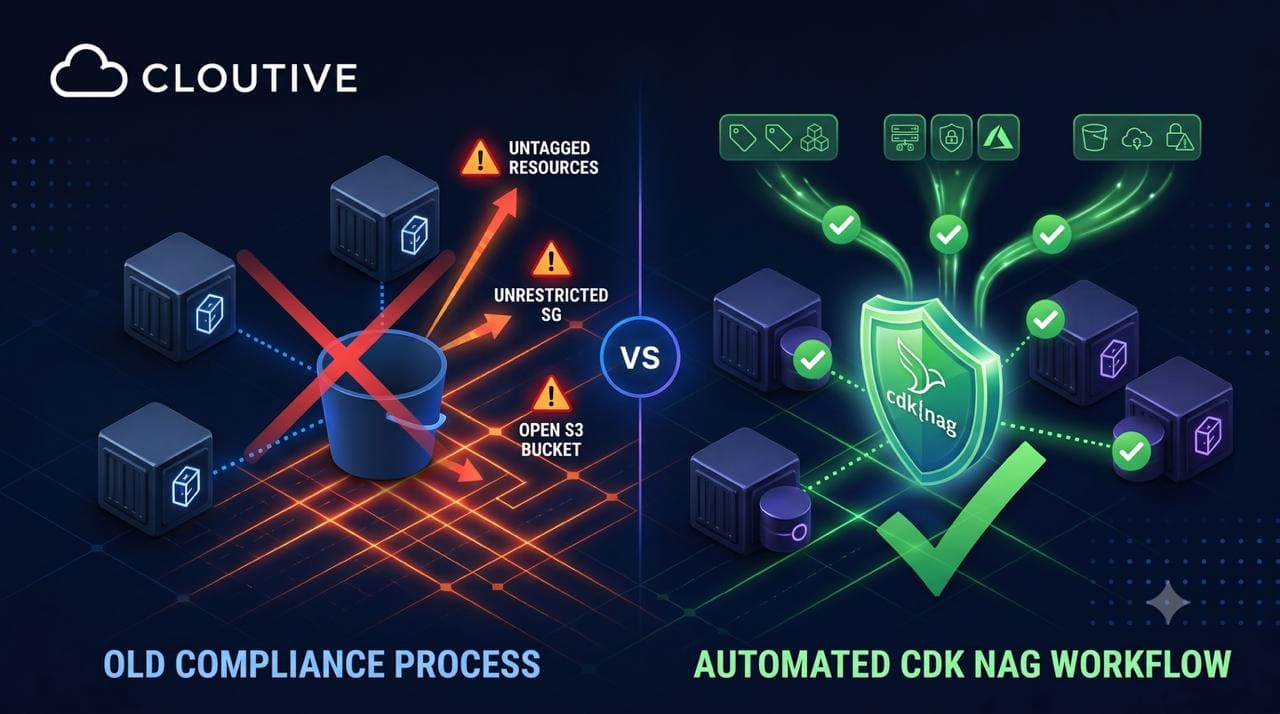
Infrastructure as Code solved a lot of problems — reproducibility, version control, peer review for infrastructure changes. But it also introduced a new one: it's just as easy to codify a security mistake as it is to codify a best practice. An open S3 bucket, an unrestricted security group, a missing tag — once it's in your CDK code, it gets deployed exactly as written, every single time, unless something catches it first.
That's the gap we set out to close with CDK Nag, and this post walks through how we implemented it, the custom rules we built on top of it, and what we learned along the way.
What Is CDK Nag?
CDK Nag is an open-source static analysis tool for AWS CDK applications. It scans your CDK code and the CloudFormation templates it generates to flag potential security issues, compliance violations, and deviations from AWS best practices — before anything gets deployed.
The core value proposition comes down to a few things:
- Automated compliance checks — infrastructure is continuously validated against security and compliance rules, with no manual review step required.
- Early detection — issues surface during development, not after a resource is already live in production.
- Customizable rules — the rule set extends to match your organization's specific requirements, not just generic AWS guidance.
- CI/CD friendly — it integrates directly into existing development workflows and pipelines.
How We Implemented It
Setup
Getting CDK Nag into the project was almost anticlimactic — a single dependency install with no structural changes to our existing CDK setup:
bash
npm i cdk-nag
CDK Nag runs alongside your existing CDK code rather than requiring you to restructure anything around it.
Building Custom Compliance Rules
The built-in rule sets cover a lot of ground, but the real value for us came from extending CDK Nag with rules specific to our own organizational requirements.
Resource Tagging Enforcement
Untagged resources are a quiet but persistent problem — they make cost allocation inaccurate, resource ownership unclear, and compliance audits harder than they need to be. We built a custom rule that checks every taggable resource type for at least one defined tag:
typescript
export class MyCustomNagPack extends NagPack {
  private static readonly TAGGABLE_RESOURCES = new Set([
    'AWS::S3::Bucket',
    'AWS::EC2::Instance',
    'AWS::EC2::SecurityGroup',
    'AWS::RDS::DBInstance',
    'AWS::Lambda::Function',
    // ... and many more
  ]);

  public visit(node: IConstruct): void {
    if (node instanceof CfnResource) {
      const resourceType = node.cfnResourceType;
      if (MyCustomNagPack.TAGGABLE_RESOURCES.has(resourceType)) {
        this.applyRule({
          ruleSuffixOverride: 'ResourceTagging',
          info: `${resourceType} resources should have tags defined`,
          explanation: `All taggable AWS resources must have at least
          one tag defined for proper resource management, cost allocation, and
          compliance.`,
          level: NagMessageLevel.ERROR,
          node: node,
          rule: () => {
            return this.checkResourceTags(node, resourceType);
          }
        });
      }
    }
  }
}
S3 Security Enhancements
Public S3 buckets are one of the most common — and most avoidable — sources of cloud data exposure. We added a rule that specifically checks for a properly defined public access block configuration on every bucket:
typescript
if (node instanceof CfnBucket) {
  this.applyRule({
    ruleSuffixOverride: 'S3PublicAccess',
    info: 'S3 bucket should have public access block configuration',
    explanation: 'All S3 buckets must have public access block
    configuration defined',
    level: NagMessageLevel.ERROR,
    node: node,
    rule: () => {
      const publicAccessS3 = node.publicAccessBlockConfiguration;
      if (publicAccessS3 && !Token.isUnresolved(publicAccessS3)) {
        return NagRuleCompliance.COMPLIANT;
      }
      return NagRuleCompliance.NON_COMPLIANT;
    }
  });
}
Security Group Validation
We also added a rule to prevent security groups from allowing unrestricted public access — a mistake that's easy to make with a single misplaced CIDR block:
typescript
if (node instanceof CfnSecurityGroupIngress) {
  this.applyRule({
    ruleSuffixOverride: 'SG-PublicAccess',
    info: 'Security group should not allow public access',
    explanation: 'All security groups must not allow public access',
    level: NagMessageLevel.ERROR,
    node: node,
    rule: rules.ec2.EC2RestrictedInbound
  });
}
CDK Nag Runs on Synth
One of the most useful properties of CDK Nag is that it doesn't require a separate step in your workflow — it runs automatically every time you execute cdk synth:
bash
# CDK Nag automatically runs during synthesis
cdk synth

# You'll see compliance validation output like:
[Error at /MyStack/S3Bucket] MyCustomNagPack-S3PublicAccess: S3 bucket should
have public access block configuration
[Error at /MyStack/SecurityGroup] MyCustomNagPack-SG-PublicAccess: Security
group should not allow public access
Because it's tied to synthesis, compliance issues surface at the earliest possible point in the development process — well before any deployment attempt.
Integration in Application Code
We wired CDK Nag directly into our CDK application entry point (bin/infra.ts):
typescript
import { AwsSolutionsChecks, NagSuppressions, HIPAASecurityChecks } from 'cdk-nag';
import { MyCustomNagPack } from '../test/custom-s3-rules';

const app = new cdk.App();

// Add custom CDK Nag pack with verbose output
Aspects.of(app).add(new MyCustomNagPack({ verbose: true }));

// Optional: Add AWS Solutions checks
//Aspects.of(app).add(new AwsSolutionsChecks({ verbose: false }));

// Optional: Add HIPAA security checks
//Aspects.of(app).add(new HIPAASecurityChecks({ verbose: true }));
Managing Suppressions
Not every rule violation is actually a problem — sometimes there's a legitimate, documented reason a resource doesn't follow the default rule. CDK Nag's suppression mechanism lets you record that reasoning directly in code instead of just silencing the warning:
typescript
NagSuppressions.addStackSuppressions(cloudTrailStack, [
  {
    id: 'AwsSolutions-S1',
    reason: 'CloudTrail S3 bucket does not require server access logs'
  },
  {
    id: 'AwsSolutions-S10',
    reason: 'HTTPS/SSL is enforced through bucket policies'
  }
]);
Best Practices We've Learned
- Start with built-in rules. CDK Nag's built-in rule packs already cover most common security and compliance scenarios — there's no need to reinvent them before reaching for custom rules.
- Customize gradually. Don't try to implement every custom rule at once. Start with your most critical compliance requirements and expand the rule set over time.
- Test your rules. Custom rules deserve the same rigor as any other piece of code — write test cases that cover both compliant and non-compliant scenarios.
- Document your rules. Every custom rule should have clear documentation explaining its purpose and which compliance requirement it addresses, so the reasoning doesn't live only in one engineer's head.
- Review regularly. Compliance requirements shift over time. Periodically revisit your rule set to make sure it's still relevant and effective.
Conclusion
Implementing CDK Nag changed how we think about infrastructure compliance. What used to be a manual, error-prone review process is now automated, consistent, and built directly into the development workflow. The combination of built-in rules and our own custom requirements has given us a solid foundation for infrastructure that's secure and compliant by default, not by afterthought.
The real key to making this work isn't trying to cover everything on day one — it's starting small, iterating based on your organization's actual needs, and treating compliance validation as a continuous part of the process rather than a one-time setup. As cloud adoption keeps accelerating, tools like CDK Nag are becoming less of a nice-to-have and more of a baseline requirement for teams that need to scale infrastructure quickly without scaling risk along with it.